 Kaisell
AN EXAMPLE
Here's what one box looks like
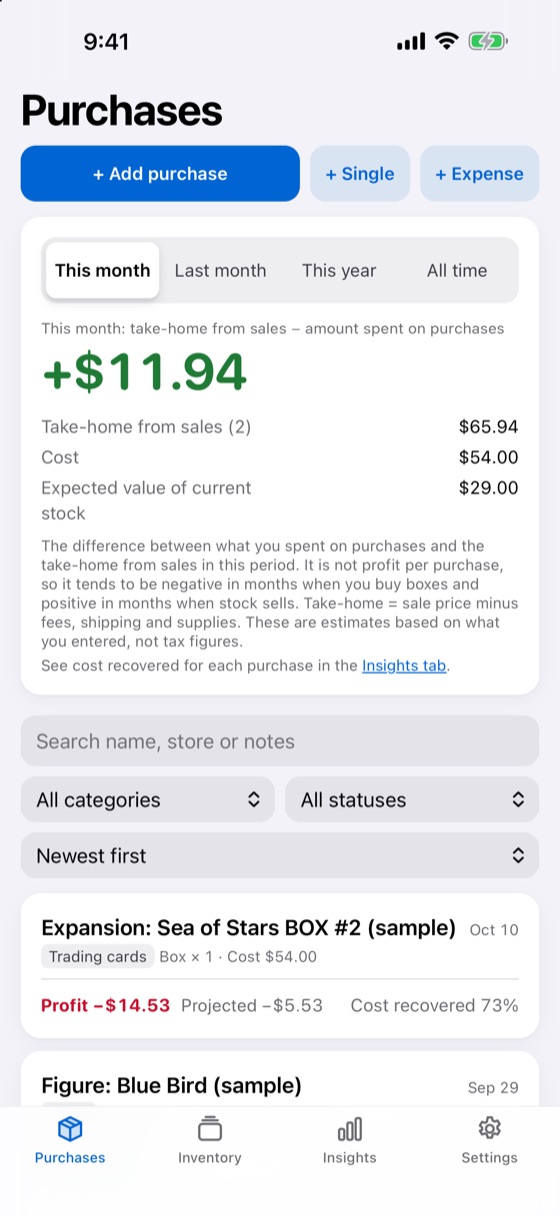
Record each item, then enter the sale price when it sells. Kaisell takes off fees, shipping and materials to give you the take-home amount, and shows how much of the purchase cost you've recovered.
- Take-homeSale price minus fees, shipping and materials
- Cost recoveredHow much of the purchase cost has come back as take-home
- ProjectedThe result if the remaining stock sells at its expected value
Expansion box (example)
- Cost
- $54.00
- Take-home from sales
- $39.47
- Cost recovered
- 73%
- Expected value of stock
- $9.00
- Projected
- −$5.53
Sample amounts. Figures are estimates based on what you enter and are not tax figures.
WHAT YOU CAN DO
Answers to "so, how did it go?"
Did that box come out ahead?
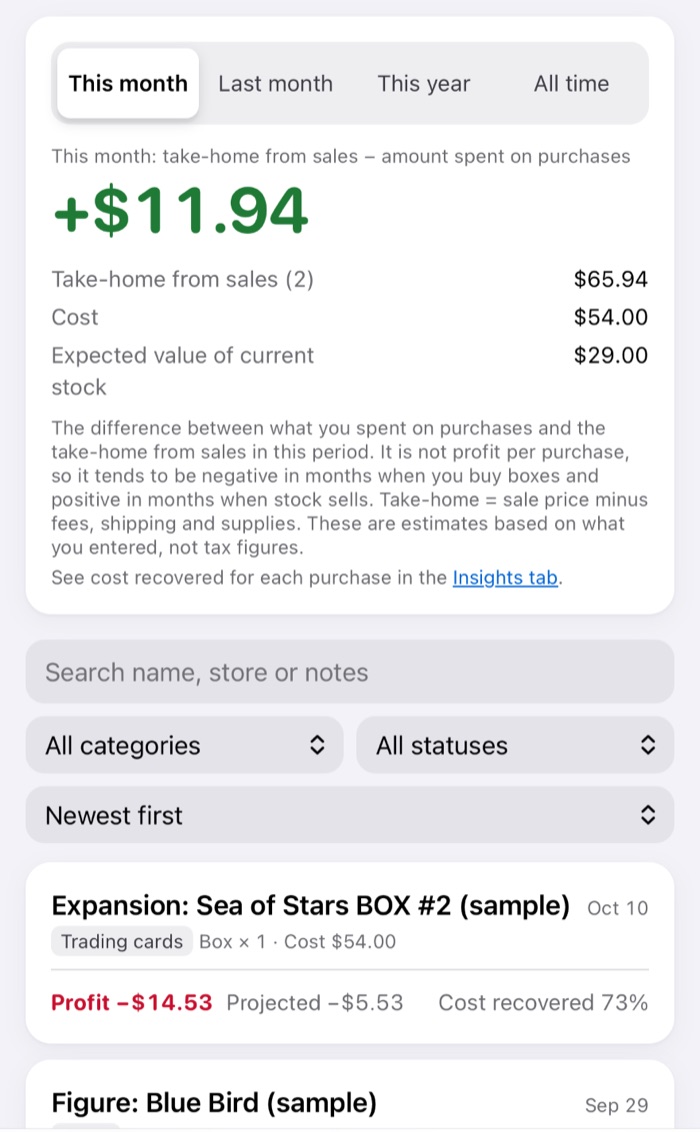
See the take-home, result and cost recovered for each purchase at a glance — plus this month, last month, this year and all time at the top.
Which sets actually paid off?
Cost recovered and share of profitable purchases by set and series, plus monthly and per-channel reports — based on your own records, not your memory.

What's still sitting unsold?
Days since purchase, storage location, and where and at what price each item is listed. Split bundle sales across items, log expenses, and record in one of 17 currencies (no conversion).

Names and amounts in the screenshots are samples. Kaisell does not calculate tax or prepare tax returns.

HOW IT WORKS
Get started in three steps
-
Add a purchase
A box, prize-draw lot, bulk buy or single item — what you bought and what you paid.
-
Record what's inside
Items worth selling one by one; group the rest into a single entry.
-
Record each sale
Kaisell works out the take-home after the channel's fees and shipping, and the cost recovered.
Tap "Try it with sample records" on the first screen to explore with made-up purchases and sales.
PRIVACY
Your records are never sent to us
Records are stored inside Kaisell on your iPhone; there is no Kaisell server. The app uses no analytics, ads or tracking, and its App Store privacy label is "Data Not Collected".
iCloud Drive too (Pro)
If you turn on "Also save to iCloud Drive" (Kaisell Pro), a copy is saved to your own iCloud Drive. The copy is encrypted with a key from your iPhone, so it can't be read on iCloud.com (version 1.2 and later). Purchases are handled by Apple; we never receive your name or payment details.
Automatic backup
When your records change, Kaisell saves a backup on your iPhone. Deleting the app deletes these backups too, so export a copy now and then.
Face ID / Touch ID lock
When turned on, Kaisell asks for Face ID or Touch ID (or your passcode) when it opens, and hides its contents in the app switcher.
PRICING
Recording is free. Pro is for deeper look-backs.
Free
No charge
- Unlimited records and viewing
- Insights and reports (by set and series, monthly, per channel)
- Backup export and import
- Automatic backup and the Face ID / Touch ID lock
Kaisell Pro (optional)
Monthly or yearly subscription
- Period comparison (this month vs last, this year vs last)
- Yearly summary (by month, series, channel and expenses)
- Yearly CSV export
- Backup to iCloud Drive (while the Face ID / Touch ID lock is off)
7-day free trial for new subscribers (not available in every country or region). Unless you cancel at least 24 hours before the trial ends, you'll be charged for the plan you chose when it ends, and it renews automatically.
Prices vary by country or region and are shown in the App Store and in the app before you buy. The subscription renews automatically and is charged to your Apple Account unless cancelled at least 24 hours before the end of the current period. Cancel anytime in iPhone Settings → your name → Subscriptions. If you cancel, your records stay and the free features keep working (Pro features stop). Legal Notice (Japan)
FAQ
Frequently asked questions
What's free?
Unlimited records, viewing, insights and reports, backup export and import, automatic backup and the Face ID / Touch ID lock are free. Period comparison, the yearly summary, yearly CSV export and iCloud Drive backup are part of Kaisell Pro (an optional subscription).
Where are my records stored?
Inside Kaisell on your iPhone. They are never sent to us, and we can't see or restore them. If you turn on iCloud Drive backup with Kaisell Pro, a copy is also saved to your own iCloud Drive. The copy is encrypted with a key from your iPhone, so it can't be read on iCloud.com (version 1.2 and later). You can still restore it on a new iPhone signed in to the same Apple Account with iCloud Keychain turned on.
How do I move to a new iPhone?
On your old iPhone, go to Settings → Export in Kaisell to create a backup file, then open it in Kaisell on your new iPhone. Kaisell Pro carries over with "Restore Purchases" on the same Apple Account.
Does it calculate tax?
No. Take-home figures are estimates based on what you enter and do not match income tax calculations. Please ask a tax professional about your tax return.
Do my records disappear if I cancel?
No. Recording, viewing, and backup export and import stay free (Pro features stop). Cancel at least 24 hours before the end of the current period in iPhone Settings → your name → Subscriptions.
Which languages does it support?
Kaisell is available in 19 languages. It follows your iPhone's language, and you can change it in Settings → Language (言語). The Terms of Use and Privacy Policy are provided in each language as reference translations; the Japanese version prevails. This page is also available in each language from the list at the bottom.
Which devices does it run on?
iPhone with iOS 17 or later. Kaisell is distributed only through the App Store. It is not currently available in the EU or the UK.
Set it up before you open your next box.
Free to download. Offers in-app purchases (optional Kaisell Pro).